Making Melbourne accessible for everyone
A mobile app and website designed to help people with disabilities plan accessible trips around Melbourne, built in one week as part of the Accenture Women in Technology Bootcamp.
I led the UX/UI design across both the app and website, which was built in React by the development team.
The Problem
Planning a trip shouldn't be a barrier
1 in 6 Australians live with a disability. For many, planning a simple trip around Melbourne is unnecessarily difficult
25% of those who don't travel say it's "so stressful it's not worth it" and 22% say it's "just too hard."
Existing tools are fragmented, hard to navigate, and rarely designed with accessibility as the priority.
This highlighted an opportunity to create a more accessible way for people to discover places, understand accessibility information, and plan trips with greater confidence.
The Audience
Who I'm designing for
We designed for Australians living with a range of disabilities, including physical, sensory, and cognitive disabilities.
Our research highlighted that these users face more than physical barriers. There is also a lack of trust that digital tools will actually meet their needs.
Key insights
Reliable information matters: Users need clear, detailed accessibility information before deciding whether to visit somewhere.
Confidence is as important as information: Users need to feel certain that a destination will meet their needs before committing to a trip.
Simplicity is critical: Complex interfaces can create additional barriers for users who already face challenges navigating everyday services.
These insights shifted our focus from simply helping users find accessible places to helping them plan with confidence.


The Solution
A chat-based trip planner built around accessibility
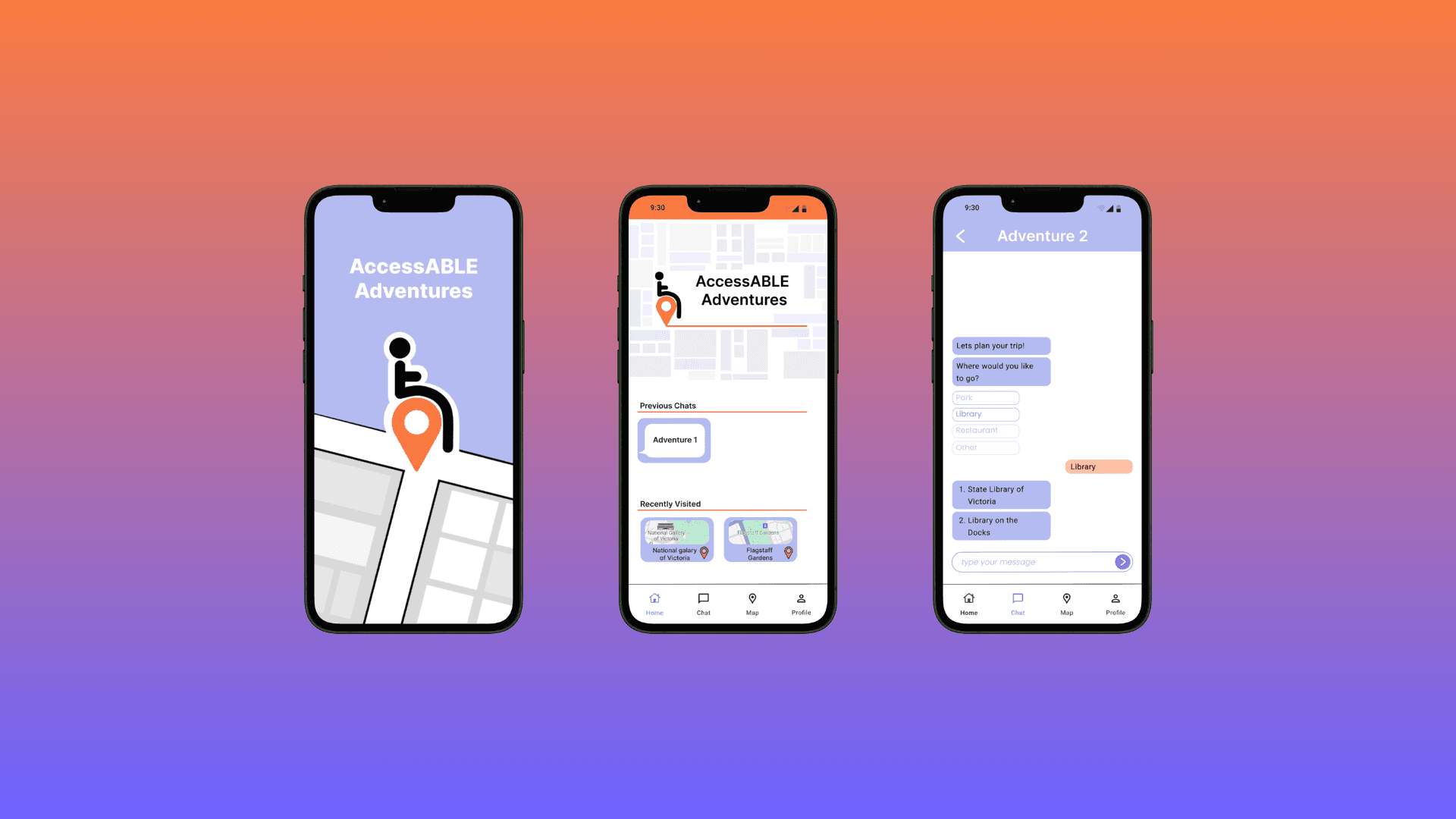
AccessABLE Adventures is a mobile app that helps users plan accessible trips around Melbourne through a simple conversational interface.
Users tell the app where they want to go, and it surfaces accessible landmarks, routes, and detailed venue information — all in one place.
The experience combines conversational trip planning with map-based discovery and detailed accessibility information, reducing the need to search across multiple platforms.




The outcome
In one week, we designed a fully interactive app prototype and a live website that brought the same accessible planning experience to desktop.
The app covers the complete user journey, from onboarding through to chat-based trip planning, map discovery, and detailed venue accessibility information.
I worked closely with developers, data scientists, designers, and mentors throughout the process to refine the experience and ensure the designs could translate into a working product.


Key learnings
Designing for accessibility improves usability for all Accessibility-first decisions
high contrast, clear labels, dyslexia friendly fonts, large touch targets, make the experience better for every user, not just those with disabilities.
Small decisions have the biggest impact
Contrast ratios, button spacing, icon clarity, font choice, these micro decisions directly affect a user's comfort and confidence in using an app.
Collaboration across disciplines makes better products
Working with developers, data scientists, and designers from different backgrounds pushed the solution beyond what any one person would have made alone. Adapting to feedback from team members and mentors was as valuable as the design work itself.
